
The software
Simple to use. More control when you want it.
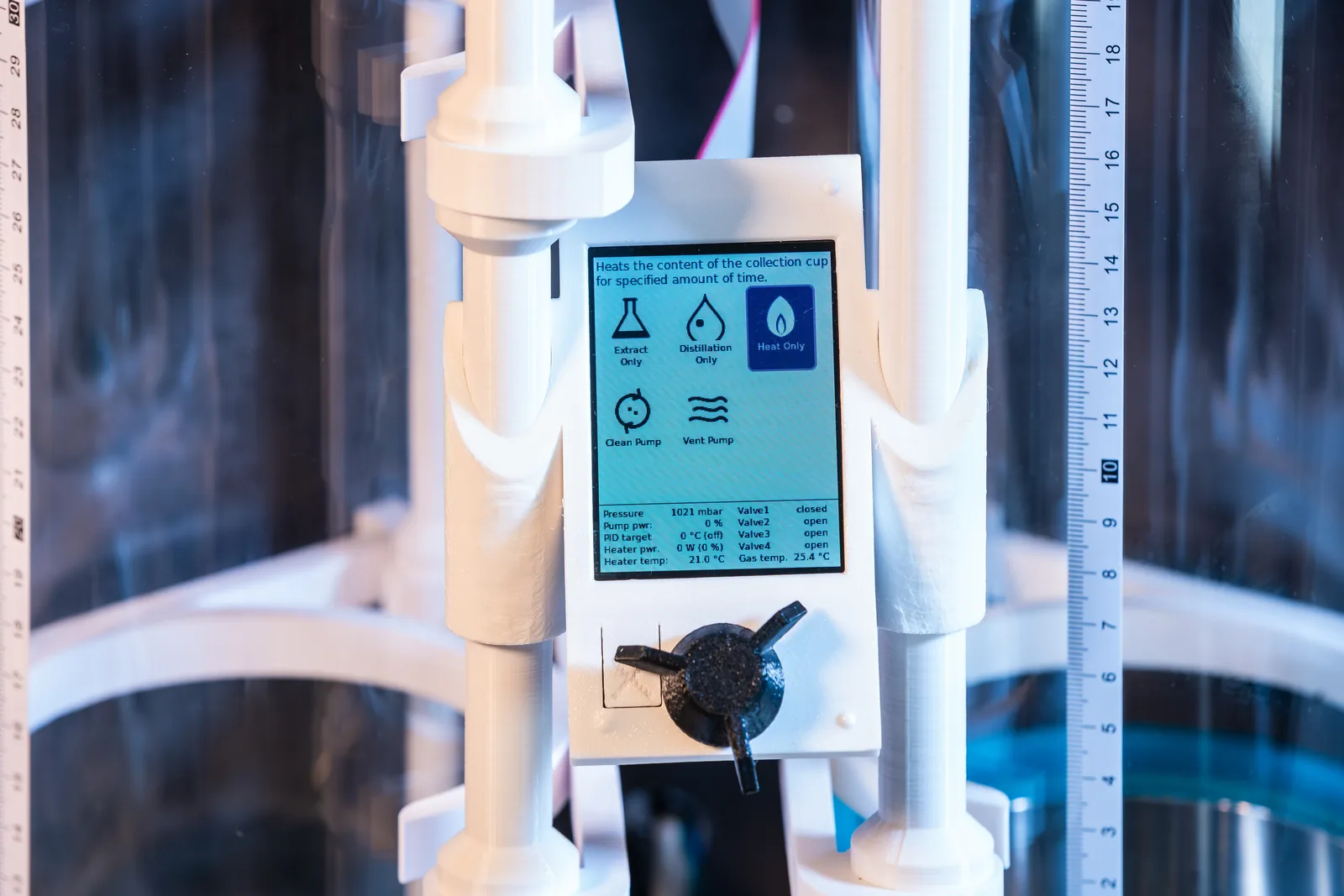
Run Gandalf directly from its built-in display, or use your PC to choose a ready-made program and follow the run. Everyday operation does not require editing a sequence. For those who want to explore further, Gandalf Flow provides a visual workspace for building and previewing programs.
On the machine
From your PC
Everyday use
- On the machine, turn the knob to pick a program, then confirm Start
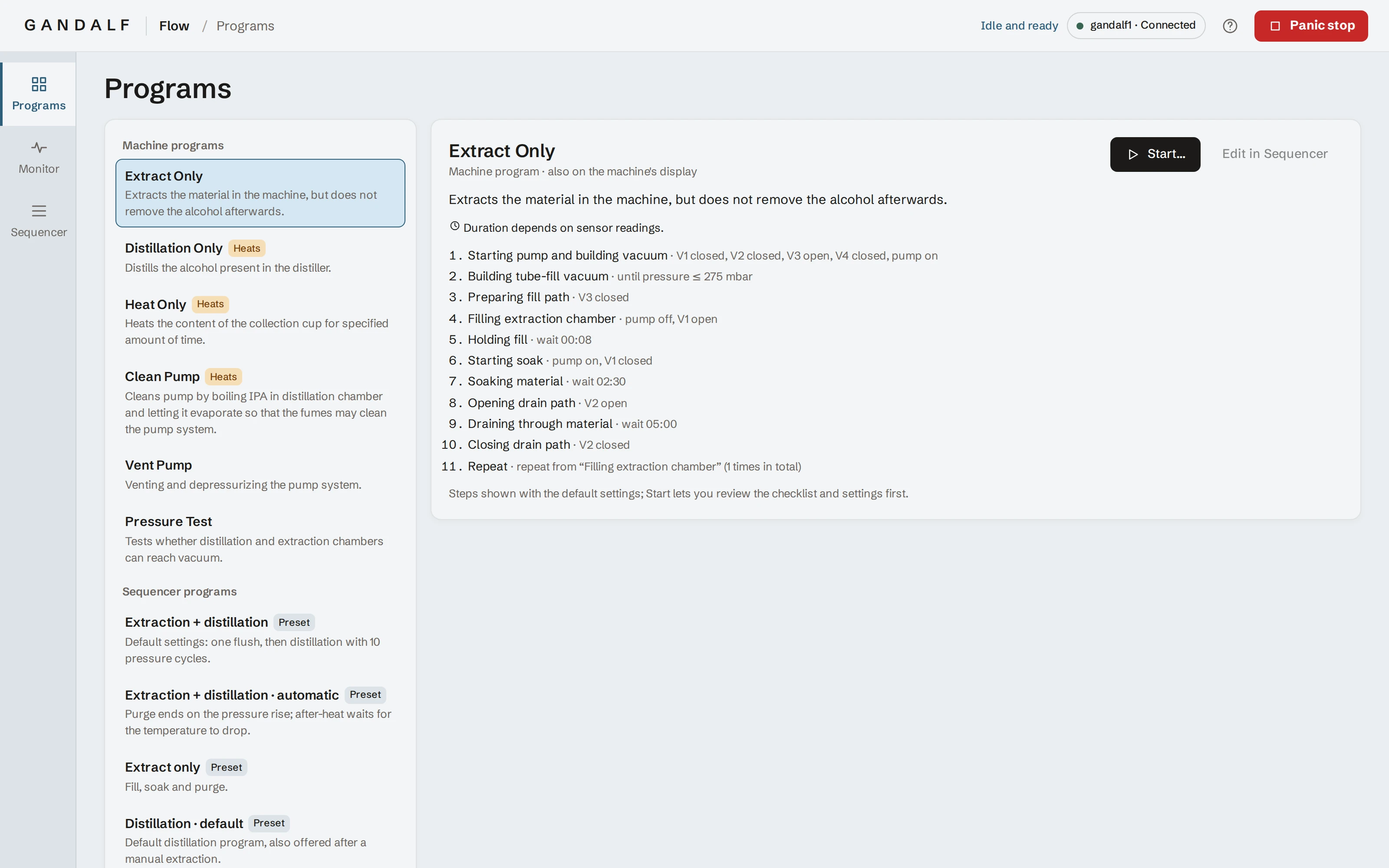
- On a PC on the same network as Gandalf, with no internet connection required, read each program’s steps in plain language and check the settings before you start
- Ready-made programs cover extraction, distillation, warming the collection cup and pump care
- Design and save your own custom programs for different types of extraction and for pre- and post-processing
Follow the run
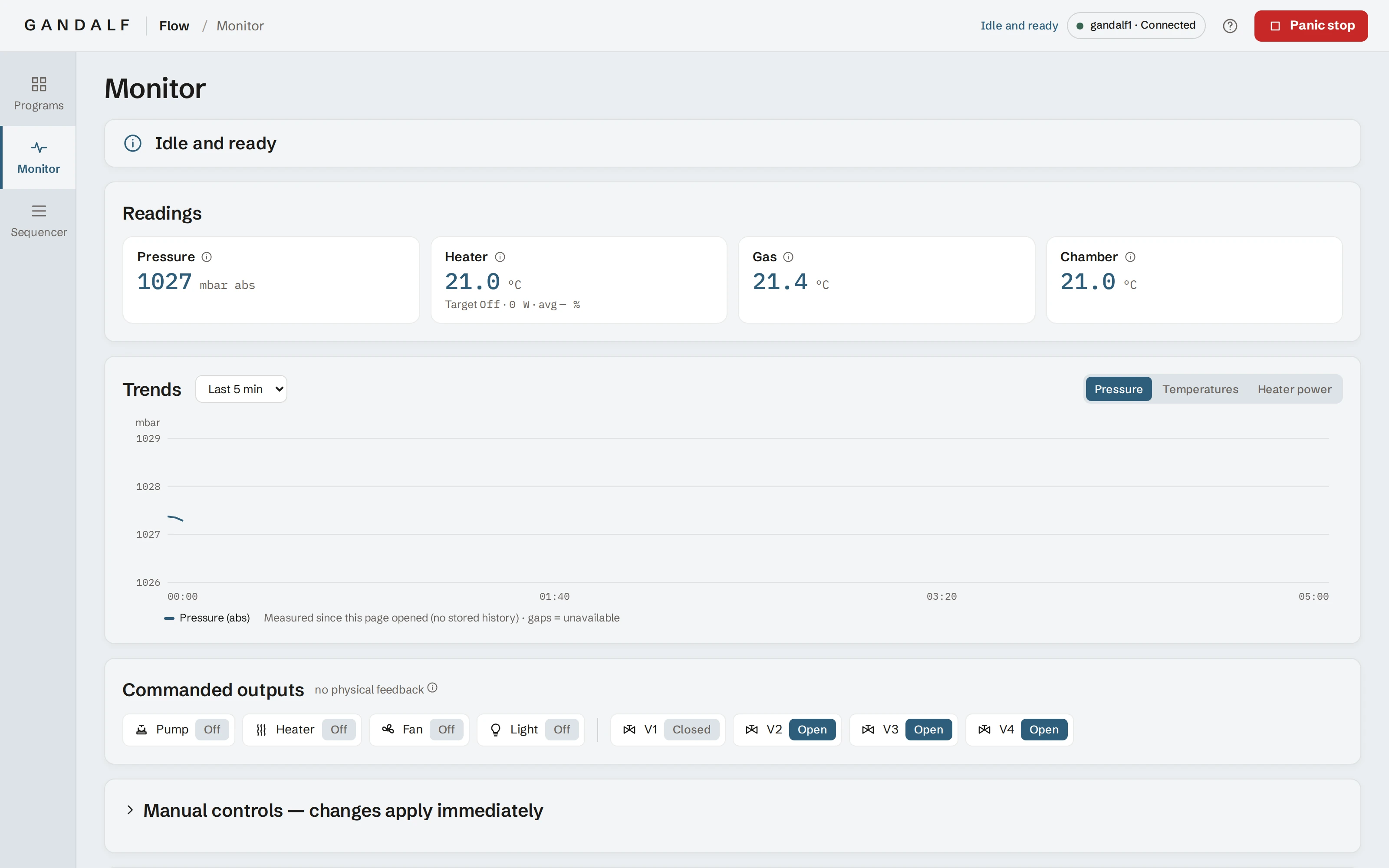
The browser monitor shows the current activity, pressure and temperatures with charts of how they change, and which parts are switched on.
For those who like to go deeper
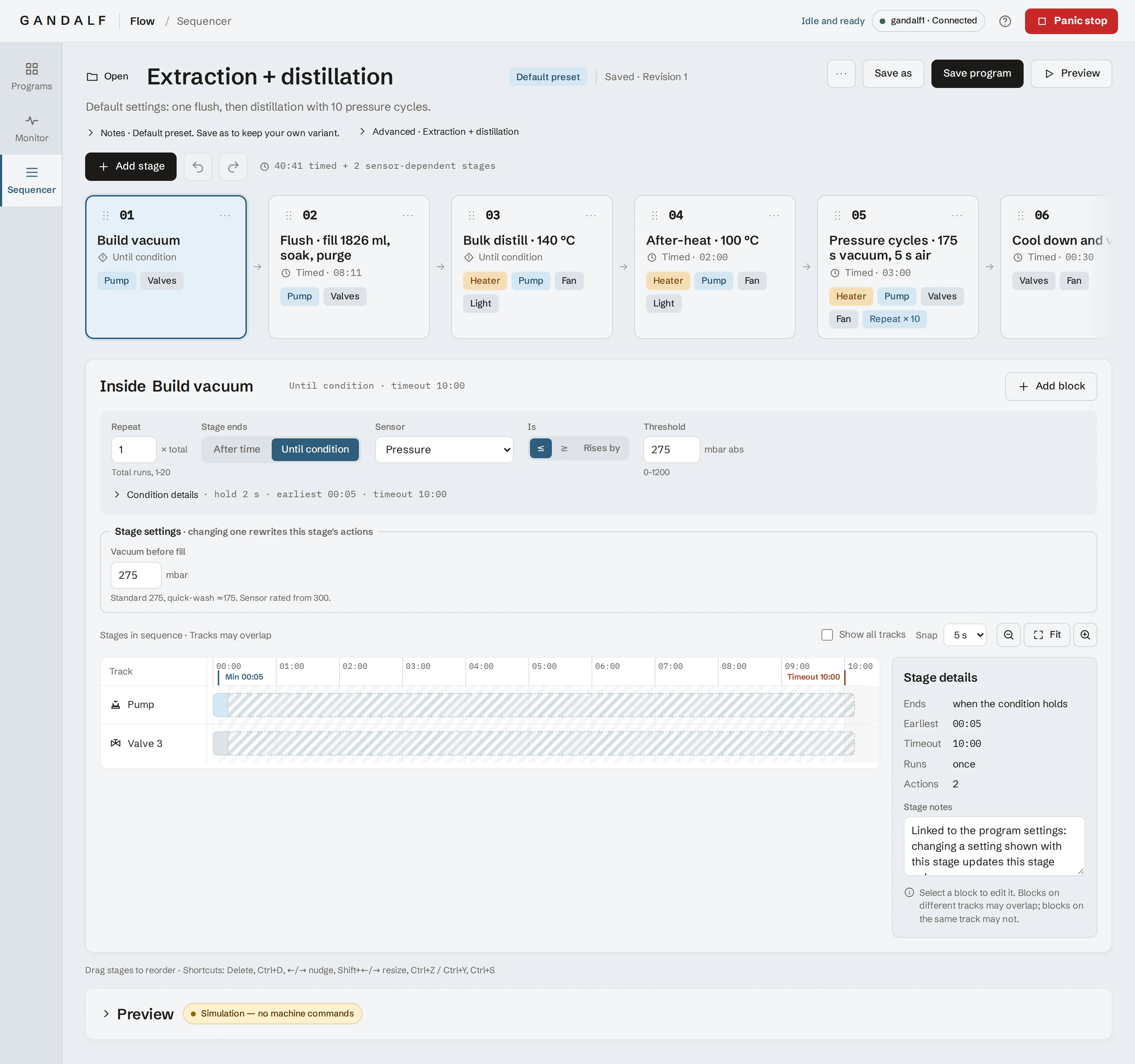
Gandalf’s flow sequencer lets you build your own programs, shaped around your material and the way you work.
Shape the process around your material
Repeat a wash or change the order without starting from scratch.
The process is a row of stages you can add, reorder and repeat.
Move on when the machine is ready
A stage can wait for the right conditions instead of a fixed time.
Each stage ends after a set time or when a reading, such as pressure or temperature, reaches the value you choose.
Fine-tune every step
Decide exactly what happens, and when, inside each stage.
A timeline shows when the pump, valves, heater, fan and light are on, with start times and durations you can type in.
Change settings, not stages
Adjust a program in familiar terms and let the stages follow.
Settings such as alcohol amount, soak time and distillation temperature update the stages for you.
See the machine behind the software Talk to us about Gandalf